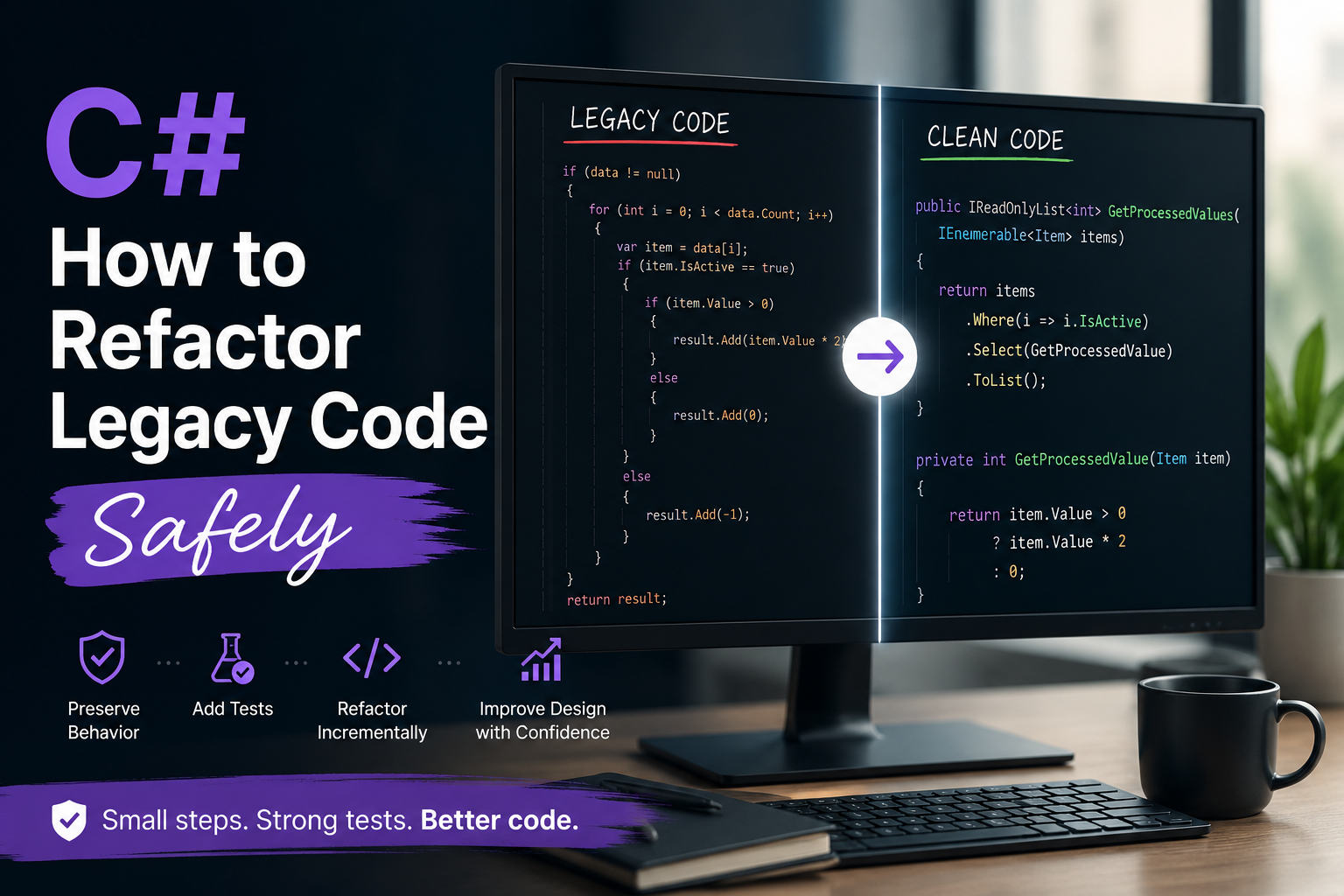
Legacy C# code is usually not dangerous because it is old. It is dangerous because you do not fully know which parts are stable, which parts are accidentally correct, and which parts are one small change away from breaking production.
That is why the question, “How do I refactor this safely?” does not have a single answer.
The right path depends on test coverage, coupling hotspots, hidden side effects, deployment risk, and whether the behavior is actually understood. If you skip those questions and jump straight into cleanup, you are not refactoring. You are gambling.
My approach is simple: reduce uncertainty first, then improve the design.
Start With Risk, Not Style
Before changing code, I try to answer five questions:
- Do I understand the current behavior well enough to know when I have broken it?
- Do I have tests that will tell me if the behavior changed?
- Where is the coupling concentrated?
- What hidden side effects exist?
- How expensive is it to deploy, verify, and roll back a mistake?
Those answers determine whether I can make a direct refactor, whether I need characterization tests first, or whether I should stop and learn the code before touching it.
If you want a good shorthand for this mindset, it is this: refactor the risk before you refactor the code.
The Safest Order of Operations
When I am working in a legacy codebase, I usually move in this order:
1. Characterize the Behavior
If the code is not well understood, I do not start by cleaning it up. I start by pinning down what it does today.
That often means writing characterization tests: tests that capture current behavior, even if the behavior is ugly, awkward, or more permissive than I would design from scratch.
The point is not to make the code elegant. The point is to create a safety net.
[Fact]
public async Task CloseInvoice_ClosesOpenInvoice_AndRecordsAuditEntry()
{
    var invoice = new Invoice
    {
        Id = 42,
        Status = InvoiceStatus.Open,
        CustomerEmail = "customer@example.com"
    };

    var service = new InvoiceService(
        new FakeInvoiceRepository(),
        new FakeAuditWriter(),
        new FakeNotificationSender(),
        new SystemClock());

    await service.CloseAsync(invoice);

    Assert.Equal(InvoiceStatus.Closed, invoice.Status);
    Assert.NotNull(invoice.ClosedAtUtc);
}
That test may not be beautiful. It does not need to be. It tells me whether the refactor changed something important.
If I cannot write even a rough characterization test, that is usually a sign that the code is too coupled or the behavior is too unclear to change safely yet.
2. Find the Coupling Hotspots
The next step is to locate the places where one change will ripple through too much code.
Common hotspots in legacy C# code include:
- long methods that mix business rules, I/O, and error handling
- classes that know too much about databases, files, HTTP, and UI state
- static helpers that hide dependencies
- deep inheritance trees with fragile base classes
- shared mutable state that crosses feature boundaries
These are the places where a small edit can create surprising fallout.
I wrote recently about inheritance vs composition. The same rule applies here: if behavior is tightly coupled to a base type, a static helper, or a shared object graph, you will have a harder time changing it safely.
3. Pull Pure Logic Away From Side Effects
One of the safest refactorings you can do is to separate business logic from side effects.
Here is the kind of legacy code I see a lot:
public sealed class InvoiceService
{
    private readonly IInvoiceRepository _repository;
    private readonly IAuditWriter _auditWriter;
    private readonly INotificationSender _notificationSender;

    public InvoiceService(
        IInvoiceRepository repository,
        IAuditWriter auditWriter,
        INotificationSender notificationSender)
    {
        _repository = repository;
        _auditWriter = auditWriter;
        _notificationSender = notificationSender;
    }

    public async Task CloseAsync(Invoice invoice)
    {
        if (invoice.Status != InvoiceStatus.Open)
            return;

        invoice.Status = InvoiceStatus.Closed;
        invoice.ClosedAtUtc = DateTime.UtcNow;

        await _repository.SaveAsync(invoice);
        await _auditWriter.WriteAsync($"Invoice {invoice.Id} closed.");
        await _notificationSender.SendAsync(invoice.CustomerEmail, "Your invoice was closed.");
    }
}
That is not terrible, but it mixes three different concerns:
- the business rule for closing an invoice
- the current time
- persistence and notifications
I would rather make the business rule explicit and keep the side effects on the outside:
public sealed class InvoiceCloser
{
    private readonly IInvoiceRepository _repository;
    private readonly IAuditWriter _auditWriter;
    private readonly INotificationSender _notificationSender;
    private readonly IClock _clock;

    public InvoiceCloser(
        IInvoiceRepository repository,
        IAuditWriter auditWriter,
        INotificationSender notificationSender,
        IClock clock)
    {
        _repository = repository;
        _auditWriter = auditWriter;
        _notificationSender = notificationSender;
        _clock = clock;
    }

    public async Task CloseAsync(Invoice invoice)
    {
        ApplyClose(invoice, _clock.UtcNow);

        if (invoice.Status != InvoiceStatus.Closed)
            return;

        await _repository.SaveAsync(invoice);
        await _auditWriter.WriteAsync($"Invoice {invoice.Id} closed.");
        await _notificationSender.SendAsync(invoice.CustomerEmail, "Your invoice was closed.");
    }

    internal static void ApplyClose(Invoice invoice, DateTime utcNow)
    {
        if (invoice.Status != InvoiceStatus.Open)
            return;

        invoice.Status = InvoiceStatus.Closed;
        invoice.ClosedAtUtc = utcNow;
    }
}
Now the core rule is testable in isolation:
[Fact]
public void ApplyClose_ChangesOpenInvoiceToClosed()
{
    var invoice = new Invoice { Status = InvoiceStatus.Open };

    InvoiceCloser.ApplyClose(invoice, new DateTime(2026, 5, 11, 11, 0, 0, DateTimeKind.Utc));

    Assert.Equal(InvoiceStatus.Closed, invoice.Status);
    Assert.Equal(new DateTime(2026, 5, 11, 11, 0, 0, DateTimeKind.Utc), invoice.ClosedAtUtc);
}
That is the kind of refactor I like because it makes behavior easier to see, easier to test, and easier to change later.
4. Reduce Coupling One Boundary at a Time
Do not try to redesign the whole system in one pass.
If one class knows too much, change one boundary first:
- extract an interface around the unstable dependency
- move the pure logic into a smaller method or type
- replace direct calls to time, randomness, file I/O, or network I/O with injected abstractions
- keep public behavior unchanged until the safety net is in place
This is also where a lot of teams benefit from the principles in How to Structure a Growing Application So It Stays Maintainable. If the refactor reveals that feature logic, infrastructure code, and business rules are tangled together, you may need more than a cleanup. You may need a better boundary.
5. Make Deployment Risk Smaller
Some refactors are technically simple and operationally dangerous.
If the code is behind a critical workflow, do not treat deployment as an afterthought. A safe refactor also considers:
- can I deploy this in a backwards-compatible way?
- can I hide the new path behind a flag if needed?
- can I validate the change in production with logs or metrics?
- do I have a rollback path that is actually fast enough to matter?
If the answer is no, I usually keep the change smaller.
That might mean:
- splitting one large refactor into several releases
- introducing a new implementation beside the old one
- mirroring behavior before switching traffic
- avoiding database schema changes until the application change is stable
The lower the deployment risk, the more freedom you have to improve the design.
How I Decide What to Do Next
Here is the decision framework I use when legacy code is involved:
| Situation | Best Next Move |
|---|---|
| Behavior is well understood and tests are strong | Refactor directly, then keep tests green |
| Behavior is mostly understood but tests are weak | Add characterization tests first |
| Coupling is the main problem | Extract seams and reduce dependencies one at a time |
| Hidden side effects are the main problem | Separate pure logic from I/O, time, and shared state |
| Deployment risk is high | Make the change smaller and more reversible |
| Behavior is not really understood | Stop and learn the code before changing structure |
That last row matters more than people like to admit.
If you do not understand the behavior, the safest refactor is often no refactor at all. First make the behavior visible. Then make it testable. Then make it simpler.
A Useful Rule of Thumb
The more uncertain the code is, the more you should prefer refactorings that preserve observable behavior:
- rename before redesign
- extract before rewrite
- isolate before optimize
- add seams before changing architecture
That is how you avoid the classic mistake of turning a legacy system into a brand-new legacy system.
Conclusion
Safe refactoring is not really about the refactor. It is about reducing uncertainty enough that the refactor becomes boring.
When test coverage is good, you can move faster. When coupling is tight, create seams. When side effects are hidden, separate them from the core logic. When deployment risk is high, shrink the change until it is reversible. And when behavior is not understood, stop and learn before you touch the code.
That is the real answer to refactoring legacy C# safely:
do the smallest change that gives you the most confidence.
If you want to keep going on this topic, the next practical step is usually to look at the architecture around the legacy code, not just the code inside it.