When an ASP.NET Core application is small, almost any folder structure feels fine.
You can keep controllers in one folder, services in another, repositories somewhere else, and for a while it works. Then the application grows. Features multiply. Business rules spread across the codebase. Changes start touching five or six files in different places. New developers need a tour guide just to understand where anything lives.
That is the point where application structure stops being a cosmetic choice and starts becoming a maintainability issue.
I see a lot of developers ask which approach is “best”: feature folders, layered architecture, Clean Architecture, vertical slices, or a modular monolith.
AI can explain each of those patterns. That part is easy.
The harder and more important question is this: which structure fits your team, your system complexity, and the kind of change your application is most likely to experience over time?
That is the real decision.
If you are newer to application architecture, here is the simplest way to read this article:
- start with the goal of making change easier
- learn what problem each pattern is trying to solve
- choose the simplest structure that still fits your current reality
- evolve the structure as the application grows
You do not need to pick the “most advanced” architecture to make a good decision.
The Real Goal Is Not “Perfect Architecture”
The goal is not to make your project look architecturally impressive.
The goal is to make it easier to:
- understand where code belongs
- change one feature without breaking unrelated ones
- onboard developers faster
- test important behavior with less friction
- let the structure evolve as the system grows
That means the right answer is usually the one that creates the least confusion for the next 12 to 24 months of development, not the one that wins the most architecture debates.
A Simple Mental Model First
Before comparing the patterns, it helps to group them by the kind of problem they solve:
- Layered architecture helps separate technical responsibilities.
- Feature folders help keep code for the same business feature close together.
- Vertical slices help organize code around individual use cases, requests, or behaviors.
- Clean Architecture helps protect the core business rules from infrastructure details.
- Modular monolith helps divide a larger system into bigger business modules without deploying separate services.
This is important because these patterns are not all competing at the same level.
Some describe how to organize code within a project. Others describe how to draw stronger boundaries across a larger system. That is one reason architecture discussions often confuse newer developers: people compare ideas that solve different problems.
Testability Is an Architecture Concern
One of the most practical architecture checks is this: can we verify important business behavior with fast unit tests, without booting the whole application or a real database?
If the answer is no, architecture friction usually shows up later as slow feedback, brittle changes, and fear of refactoring.
Good structure improves testability by making dependencies explicit and keeping business rules away from framework and infrastructure details (things like database access, HTTP handling, file systems, and external service calls). That gives you small seams where behavior can be tested in isolation, while integration tests validate wiring and infrastructure.
A useful rule of thumb is:
- unit tests for core business decisions and invariants
- integration tests for database, messaging, and HTTP wiring
- end-to-end tests for critical user journeys
When architecture makes that test mix straightforward, maintainability improves in real day-to-day development, not just in diagrams.
Keep that testability lens in mind as we walk through the common architecture options. Each one handles the relationship between business logic and infrastructure differently, and that directly affects how easy or hard your code is to test.
The Common Options Explained
Here is how I think about the major options in practical terms.
Feature Folders
Feature folders organize code by business capability instead of technical type.
Instead of this:
Controllers/
Services/
Repositories/
Models/
You move toward this:
Features/
  Orders/
    Create/
      CreateOrderEndpoint.cs
      CreateOrderRequest.cs
      CreateOrderHandler.cs
    GetById/
      GetOrderByIdEndpoint.cs
      GetOrderByIdHandler.cs
  Products/
    List/
      ListProductsEndpoint.cs
      ListProductsHandler.cs
This usually improves maintainability quickly because most of the code needed for a feature lives close together.
For a learner, the easiest way to think about feature folders is this: if you need to change the “Orders” feature, most of the code you need should be somewhere under an Orders folder.
Good fit when:
- the application is growing beyond trivial CRUD
- the team wants clearer ownership by feature
- developers are tired of jumping across horizontal layers to make one small change
Weakness:
- if done loosely, it can become inconsistent and turn into “just another folder convention”
Layered Architecture
Layered architecture is the classic separation into UI, business logic, and data access.
For example:
Web/
Application/
Domain/
Infrastructure/
Or inside a single project:
Controllers/
Services/
Repositories/
Entities/
There is a reason this approach has lasted so long: it is easy to explain, easy to teach, and it gives teams a straightforward separation of concerns.
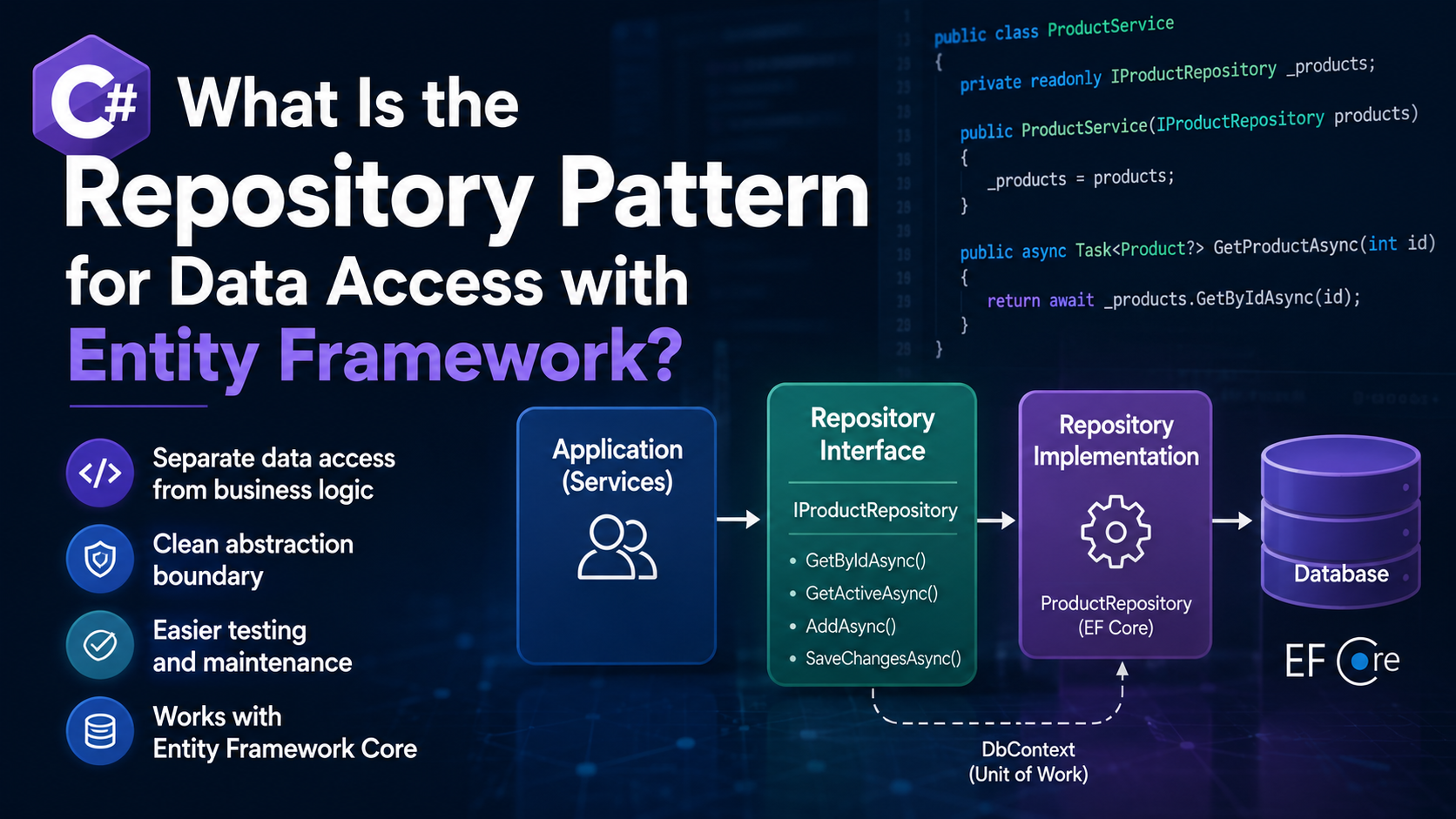
For ASP.NET Core specifically, I would treat that second example as a simple teaching structure, not a rule. In modern .NET apps, you do not always need a separate repository layer, especially if Entity Framework Core already gives you the abstraction you need for straightforward data access.
For newer teams, this is often the most familiar starting point because it matches how many tutorials and sample applications are organized.
Good fit when:
- the team is relatively small
- the application is not highly complex yet
- developers benefit from a familiar structure
- the codebase is still mostly transactional and CRUD-oriented (create, read, update, delete workflows)
Weakness:
- one feature change often requires edits across several layers
- business behavior can become fragmented
- developers start creating abstractions because the structure expects them, not because the problem needs them
Layered architecture is often a perfectly acceptable starting point. The mistake is treating it like the final form of every system.
Clean Architecture
Clean Architecture puts strong emphasis on boundaries between domain logic and infrastructure details.
The core idea is valuable: your business rules should not be tightly coupled to databases, web frameworks, message brokers, or external SDKs.
That is a good principle.
But in practice, some teams take Clean Architecture so far that every use case becomes buried under interfaces, wrappers, handlers, repositories, adapters, and indirection that the system does not actually need.
For learners, the most important takeaway is not the full template. It is the principle: keep business rules from depending too directly on technical plumbing.
Good fit when:
- the domain has meaningful complexity
- the application has a long expected lifespan
- multiple infrastructure concerns need to remain swappable or isolated
- the team has the discipline to use boundaries intentionally rather than mechanically
Weakness:
- easy to over-engineer
- too much ceremony can slow down simple feature work
- inexperienced teams often copy diagrams instead of solving the actual maintainability problem
I like the principles behind Clean Architecture more than I like blindly copying a template called “Clean Architecture.”
Vertical Slices
Vertical slice architecture organizes the code around individual use cases or requests.
Instead of thinking in terms of controllers, services, and repositories first, you think in terms of behaviors like:
- create order
- cancel order
- list invoices
- update customer address
Each slice contains the request, validation, handler, and supporting logic needed for that specific operation.
This tends to work very well in ASP.NET Core because many real applications are made up of discrete commands and queries.
It also fits modern endpoint design well. A route handler in a minimal API can stay thin, call into the slice, and keep HTTP concerns separate from business behavior without forcing everything through a large shared services layer.
Good fit when:
- the system changes feature-by-feature more than layer-by-layer
- the team wants low-friction feature development
- maintainability problems are coming from scattered change surfaces
- CQRS-style thinking (separating read operations from write operations) is useful, even if you do not implement full CQRS infrastructure
Weakness:
- if the domain model is rich and shared behaviors are important, slices can drift into duplication unless the core domain is kept healthy
For many ASP.NET Core applications, vertical slices are one of the most practical ways to keep growth under control.
Modular Monolith
A modular monolith keeps the system deployed as a single application, but structures it internally as a set of strongly separated modules.
Examples might include:
- Catalog
- Orders
- Billing
- Identity
- Reporting
Each module owns its own logic, data access, and boundaries, even though everything still runs in one deployable unit.
For a learner, the short version is: a modular monolith is still one application, but it is organized like several well-separated parts inside that one application.
This is a very strong option when the system is getting bigger, but splitting into microservices would be premature or unnecessary.
Good fit when:
- the system has multiple distinct business areas
- teams need stronger module boundaries
- the codebase is too large for “one big app” thinking
- you want many of the benefits of service boundaries without distributed system complexity
Weakness:
- requires intentional boundary enforcement
- if not enforced, it collapses back into a regular monolith with extra folders
I think more teams should seriously consider the modular monolith before jumping to microservices.
So Which One Should You Choose?
This is where context matters more than theory.
If you want the shortest possible answer, use this decision guide:
| Situation | Good Starting Choice |
|---|---|
| Small app, small team, simple workflows | Layered architecture or feature folders |
| Growing app, lots of feature-by-feature changes | Feature folders plus vertical slices |
| Complex domain with important business rules | Vertical slices with Clean Architecture principles |
| Large monolith with several business areas | Modular monolith |
That table is intentionally simple. Real systems can blend these approaches, but it gives newer readers a reasonable default path.
If You Have a Small Team and a Relatively Simple App
Start simple.
Use a straightforward layered approach or feature folders, but keep the code close to the behavior it supports. Avoid introducing architectural ceremony you do not need yet.
At this stage, the biggest maintainability win usually comes from:
- clear naming
- small classes and focused handlers
- avoiding tight coupling
- keeping infrastructure concerns out of core business rules
Do not build a cathedral for a two-room cabin.
If you are early in a project, simplicity is usually the better tradeoff. You can always introduce stronger structure later when the need becomes real.
If the App Is Growing Fast and Changes Happen by Feature
Move toward feature folders plus vertical slices.
This is often the sweet spot for ASP.NET Core business applications.
Why? Because most real changes arrive like this:
- “Add a new checkout rule”
- “Update invoice generation”
- “Change customer onboarding”
- “Add approval workflow to expense reports”
Those are feature changes, not layer changes.
If your architecture forces developers to bounce across controllers, services, repositories, DTO (data transfer object) folders, validators, and mapping profiles just to understand one behavior, the structure is working against you.
This is the point where many teams discover that organizing by feature is easier to maintain than organizing only by technical layer.
If the Domain Is Complex and the System Will Live for Years
Take ideas from Clean Architecture, but apply them with restraint.
Protect the domain. Keep infrastructure from leaking everywhere. Make business rules testable. Be intentional about dependency direction.
But do not create three abstractions where one concrete implementation would do.
Maintainability improves when boundaries are meaningful, not when every class has an interface because a template said so.
That distinction matters a lot for learners. A pattern is useful when it reduces confusion and coupling. It becomes harmful when it adds ceremony without solving a real problem.
If the System Has Multiple Business Areas That Need Real Separation
Move toward a modular monolith.
This is especially valuable when you can already see the system dividing naturally into modules, but the operational cost of microservices is not justified.
A modular monolith gives you:
- clearer ownership
- better internal boundaries
- less accidental coupling
- a path to future extraction if you ever need it
In many organizations, this is the most mature and practical long-term structure.
You can think of this as a growth step, not necessarily a starting point.
My Practical Recommendation for Most ASP.NET Core Teams
If I were starting a growing ASP.NET Core line-of-business application today, my default would usually be this:
- Start with one deployable application.
- Organize by feature, not just by technical layer.
- Use vertical slices for commands and queries where it keeps behavior cohesive.
- Apply Clean Architecture principles to protect the core business logic.
- Evolve into a modular monolith when the domain clearly divides into larger bounded areas.
That combination gives you a very pragmatic path:
- simple enough to start
- maintainable as features grow
- structured enough to reduce coupling
- flexible enough to evolve without rewriting everything later
That is also why I do not think this should be framed as choosing exactly one label forever. In practice, healthy systems often combine these ideas.
This is one of the biggest mindset shifts for people learning architecture: you are usually not choosing one permanent label. You are choosing a sensible next level of structure.
If you’re not starting from scratch and are instead trying to improve older code safely, How to Refactor Legacy C# Code Safely is the companion article to this one.
For example:
- the overall application may become a modular monolith
- inside each module, code may be organized into feature folders
- individual use cases may follow vertical slice patterns
- the domain and infrastructure boundaries may reflect Clean Architecture principles
That is usually a better answer than trying to be ideologically pure about architecture names.
A Practical Example Structure
Here is the kind of structure I think works well for many medium-sized ASP.NET Core applications:
src/
  Web/
    Program.cs
    Extensions/
      OrdersEndpoints.cs
      CatalogEndpoints.cs
  Modules/
    Orders/
      Domain/
      Application/
        CreateOrder/
          CreateOrderCommand.cs
          CreateOrderValidator.cs
          CreateOrderHandler.cs
        GetOrderById/
          GetOrderByIdQuery.cs
          GetOrderByIdHandler.cs
      Infrastructure/
    Catalog/
      Domain/
      Application/
      Infrastructure/
This is not the only valid answer, but it demonstrates a useful balance:
- modules provide larger business boundaries
- vertical slices keep use-case code cohesive
- domain and infrastructure are separated where that separation adds value
- the web project stays responsible for HTTP wiring, while the module owns the use-case logic
If you are learning this topic, notice what this example is doing:
- it keeps related business code near each other
- it avoids one giant shared services layer
- it uses stronger boundaries only where they help understanding and changeability
That is the practical goal.
A Safe Learning Path
The previous section focused on choosing a structure for a specific project. This section is about growing your own architecture skills over time. If you are trying to grow those skills without overengineering your app, this is a safe progression:
- Start with a simple layered structure or basic feature folders.
- When feature changes become hard to follow, move more code into feature-based organization.
- When individual requests have a lot of their own logic, adopt vertical slices.
- When domain rules need stronger protection from framework and infrastructure code, apply Clean Architecture principles.
- When the system naturally splits into major business areas, evolve toward a modular monolith.
This progression works well because each step responds to a real pain point.
That is how architecture should usually evolve: in response to pressure, not fashion.
What Usually Makes an ASP.NET Core App Hard to Maintain
It is often not the lack of a famous architecture pattern.
It is usually one or more of these problems:
- business logic scattered across controllers, endpoints, services, and repositories
- folders organized for framework convenience instead of human understanding
- abstractions added without a real reason
- shared utility layers becoming a dumping ground
- infrastructure concerns leaking into everything
- no clear boundaries between business areas
You can create a messy system with Clean Architecture. You can create a maintainable one with a modest feature-based structure.
The pattern name matters less than whether the structure makes change easier.
One more practical point for .NET 8 and newer: minimal APIs make it easier to keep HTTP endpoints small and explicit, but they do not remove the need for good structure. They just reduce ceremony at the entry point.
Final Thought
When people ask, “What architecture should I use for ASP.NET Core on modern .NET?” I think the best answer is usually: pick the structure that matches how your system will change, not the structure that sounds the most advanced.
If your team is small and the app is simple, keep it simple.
If features are growing fast, organize around features and vertical slices.
If the domain is complex, protect it with stronger boundaries.
If the system is expanding across multiple business capabilities, consider a modular monolith before you even think about microservices.
Maintainability does not come from choosing the most fashionable architecture. It comes from creating a structure that helps your team make safe, understandable changes over time.
That is the architecture decision that actually matters.